How to Fix a Yellow Phone Screen: Complete Android and iPhone Guide
 By Sophia Al-Mansoor
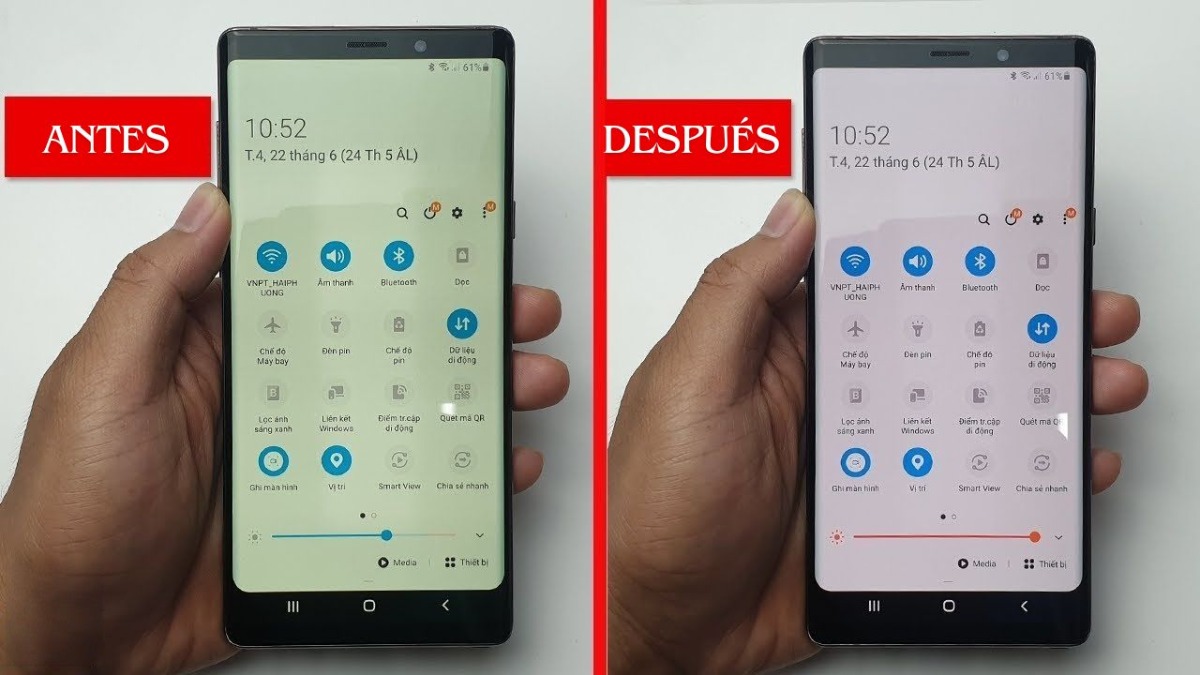
Even with night filters switched off, modern screens dynamically adapt to the physical room around you. Apple implements multichannel ambient light sensors to power iPhone True Tone, a feature that continuously shifts the display color temperature to mirror the correlated color temperature of ambient room lighting. Under incandescent domestic bulbs or warm desk lamps (2700K to 3000K), True Tone aggressively warms the panel to make paper-white web pages blend with room lighting.
Android flagships from Google, OnePlus, and Samsung feature identical mechanisms under names such as "Adaptive Color Tone" or "Natural Tone Display." When moving from direct sunlight into a cozy living room, the shift can register as a distinct yellow defect.
To establish baseline panel calibration without environmental interference, disable ambient tracking:
On iOS, pull down the Control Center, long-press the brightness slider, and tap the True Tone icon in the lower right to turn it off. On Android, navigate to Settings > Display, locate "Adaptive Color Tone" or "Eye Comfort," and switch it off. Once disabled, the panel locks to its factory calibration, remaining uniform regardless of whether you stand under daylight or tungsten lamps.
Sophia analyzes international trade, startup ecosystems, retail transformation, and supply chain logistics for modern digital publications.
